
Top Tips for Effective Security Camera Setup in Vancouver
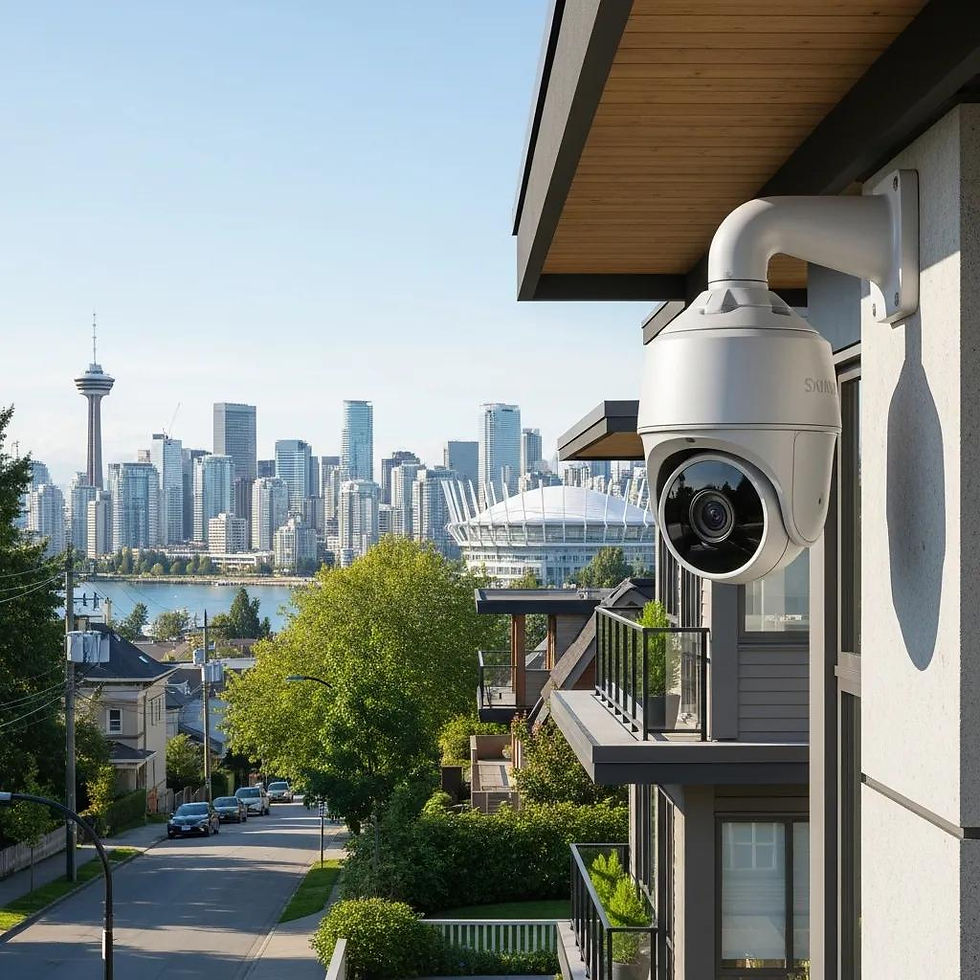
Top Considerations for Effective Security Camera Installation in Vancouver: A Practical Guide to Cost, Legal Requirements and Weather‑Resistant Solutions
This guide gives Vancouver property owners and managers the practical information they need to plan a compliant, weather‑resistant security camera system. We cover the main cost drivers, privacy obligations under PIPA, outdoor weatherproofing for a rainy climate, camera classes and advanced features, plus upkeep tips that protect evidence quality and neighbour privacy. You’ll learn how installers estimate costs, which technologies suit homes, strata and small businesses, and where a professional on‑site design can save time and money — including options for professional on-site design and fast installation. Throughout we use local guidance for Vancouver — IP66/IP67 durability, PIPA‑aligned privacy practices, and practical cost savings like reusing existing wiring. Read on for clear checklists, comparison tables and vendor‑vetting criteria so you can make an informed decision and book a site assessment when you’re ready.
What Are the Key Factors Influencing Security Camera Installation Costs in Vancouver?

Installation costs in Vancouver are driven by a few consistent factors: the cameras and recording gear you choose, labour and access complexity, wiring and connectivity needs, storage and retention choices, and any permits or strata approvals. Hardware runs from basic dome or bullet models to professional IP cameras with higher resolution, better weather ratings and longer useful lives — and that choice has the biggest impact on upfront cost. Labour depends on mounting heights, conduit runs and whether existing wiring can be reused. Storage decisions — local NVR versus cloud services — change both equipment and ongoing costs. Urgent scheduling or difficult access can also increase labour fees. Understanding these drivers helps you set a realistic budget and choose the right package for your property.
Below is a concise breakdown of the core cost drivers to help you estimate before scheduling an on‑site quote.
Hardware: cameras, NVR/DVR, PoE switch, mounts and housings.
Labour: installation hours, access difficulty, roof or lift requirements.
Wiring & Connectivity: new cable, conduit, or reuse of existing wiring.
Storage & Recording: local NVR capacity versus cloud retention/subscriptions.
Permits & Approvals: electrical work, strata consent, signage obligations.
These items show where price is commonly allocated and why a free on‑site assessment is essential to provide an accurate estimate and schedule.
Intro to cost components and their typical impact:
Component | Cost Driver | Typical Impact |
Cameras & NVR | Device quality and resolution | Largest share of hardware cost; professional IP cameras last longer |
Labour & Access | Mounting complexity, height, conduit runs | Hard access or long runs can significantly increase labour costs |
Wiring/Re‑use | Reusing existing wiring vs new cabling | Reusing cable reduces cost; new PoE cabling adds material and labour |
Storage | Local NVR vs cloud subscriptions | Cloud adds recurring fees; local NVR raises upfront hardware cost |
This table highlights typical budget splits and why an on‑site survey often changes final pricing. Use it to ask installers focused questions about cable reuse and expected timelines.
How Do Different Security Camera Packages Affect Installation Pricing?
Vancouver packages usually bundle cameras, an NVR, cabling and basic installation labour tailored to common property types. Small residential packages (2–4 cameras) focus on entry points and driveways. Medium packages (4–8 cameras) add perimeter and backyard coverage. Strata or commercial jobs usually need custom scopes to handle multiple entry points, shared property approvals and extra networking gear. Package price depends on camera count, camera grade (professional IP versus consumer), NVR capacity and whether pole or hard‑to‑reach mounts are required. Packages that assume reuse of existing wiring lower labour and material costs. For accurate pricing, book a free on‑site quote to confirm site‑specific factors.
Common package components typically include:
Cameras (count and model grade) sized for coverage needs.
NVR or DVR sized for the desired retention and resolution.
Cabling and mounts required for the installation.
Basic configuration, network integration and testing.
These definitions let you compare like‑for‑like quotes and see how upgrades to cameras or longer retention affect the total price.
What Are the Cost Benefits of Professional Installation Versus DIY?
Although professional installation adds upfront labour, it often lowers long‑term costs by ensuring correct placement, professional cabling, warranty‑backed work and regulatory compliance. Installers can reuse existing wiring or hardware when appropriate, cutting material and labour compared with a full retrofit. They also configure PoE switches and NVR settings for reliable recording and remote access, reducing future service calls. DIY works for very small, low‑risk installs but can lead to poor weatherproofing, bad angles and privacy missteps that cause rework. For strata or complex sites, a professional site survey and written quote are the safer choice.
Key takeaway: a professional design and installation minimise rework, protect system value and a free on‑site quote will show whether existing infrastructure can be reused to lower costs.
Which Security Camera Types Are Best Suited for Vancouver Homes and Businesses?
Picking the right camera mix for Vancouver means balancing image quality, weather resilience and intended use. IP cameras provide higher resolution and analytics readiness. Dome and bullet styles offer different visibility and deterrence profiles, while PTZs cover large areas with active tracking. Vancouver’s marine climate makes IP66/IP67 weatherproofing and condensation control important for outdoor cameras; better sensors also help in low light and overcast conditions. For most homes and small businesses, fixed high‑resolution IP cameras at entry points plus weather‑rated bullet cameras for long sightlines work well. Strata and commercial sites often combine PTZs for perimeter patrol with fixed cameras for evidence capture — the right mix reduces the total number of cameras needed.
Below is a comparison table to match camera classes with attributes and common Vancouver use cases.
Camera Class | Key Attributes | Ideal Use‑Case |
IP Cameras | High resolution, PoE, analytics‑ready | Residential entry points and commercial surveillance |
Dome Cameras | Vandal‑resistant, low profile | Indoor common areas and retail ceilings |
Bullet Cameras | Long‑range lenses, visible deterrence | Driveways, long sightlines and exterior walls |
PTZ Cameras | Pan/tilt/zoom, active tracking | Large lots, perimeter monitoring and commercial sites |
This table summarises which camera types suit different roles and why IP‑based systems are usually recommended for flexibility and future features.
What Are the Differences Between IP Cameras and CCTV Systems?
IP cameras (networked devices recording to NVRs) and traditional CCTV (analog cameras recording to DVRs) differ in resolution, scalability and feature support. IP systems typically offer higher megapixel sensors, PoE power‑over‑Ethernet for neater installs, and on‑device or server analytics such as AI detection; they also integrate more easily with networked storage and smart platforms. CCTV/DVR systems can be suitable when reusing legacy coaxial wiring or when budgets are tight, but they lack advanced features and generally have shorter useful lifespans. Planning for IP deployments should include bandwidth, switch capacity and NVR sizing to maintain consistent recording. For Vancouver properties that prioritise longevity and advanced features, professional‑grade IP cameras are commonly the best choice.
These distinctions lead naturally into weatherproofing considerations for reliable outdoor performance.
How Do Weatherproof Features Enhance Outdoor Security Cameras in Vancouver?
Weatherproofing keeps cameras working through Vancouver’s rain, humidity and seasonal swings. IP66 and IP67 ratings indicate dust‑tight construction and protection against heavy rain or temporary immersion — important in coastal microclimates. Protective housings, sunshields and proper mounting angles reduce lens streaking from rain; internal desiccants or heated housings help prevent condensation inside domes. Cable entry points should be sealed and conduit used where possible to avoid water ingress and ice damage. Installers should route cables so moisture can drain away from connections, and perform checks after storms to spot seal failures before corrosion or image degradation sets in.
Good weatherproofing is the foundation of reliable recording and links directly to routine maintenance practices that preserve system performance.
How Do Vancouver Security Camera Laws and Privacy Regulations Impact Installation?
Installations in Vancouver must comply with British Columbia’s Personal Information Protection Act (PIPA). PIPA requires that surveillance be reasonable, necessary and proportionate to the purpose. Avoid pointing cameras at private interiors (bathrooms, neighbours’ windows) and put safeguards in place for recorded footage — secure storage and minimal retention periods. For multi‑unit or commercial properties, clear policies and visible signage help meet transparency expectations; strata and business managers should document purposes and retention schedules to demonstrate reasonableness under PIPA. If privacy boundaries are unclear, seek legal advice or request a site assessment to design a system that meets security needs while minimising neighbour impact.
A practical list of privacy obligations to follow during design and installation:
Avoid recording private indoor spaces or capturing audio where it isn’t necessary.
Limit retention to the minimum time required and secure stored footage.
Install clear signage where public or shared areas are monitored.
Document the purpose and access policies for recorded video.
These points show how legal considerations shape placement, retention and signage choices during system design.
What Are the Privacy Considerations Under British Columbia’s PIPA for Security Cameras?
Under PIPA, any system that collects personal information must have a clear purpose and must minimise unnecessary collection while protecting the data. That means avoiding camera views into neighbours’ private spaces, applying masking or cropping where possible, and keeping written retention and access policies so only authorised people can view footage. Informing occupants and visitors with signage and notices supports transparency and helps demonstrate reasonable collection. Complex cases — like strata disputes or cameras covering shared corridors — may need legal advice or mediation to align surveillance with privacy obligations.
Keeping these limits in mind helps installers propose placements and retention settings that reduce legal risk and community friction.
Are Permits or Signage Required for Security Camera Installation in Vancouver?
Permits are rarely required just to mount cameras, but electrical work, exterior alterations or other changes to building exteriors can trigger building or electrical permits. Strata properties typically require approval through bylaws or the strata council. Signage is recommended — and sometimes required for commercial surveillance — to notify the public and residents that recording occurs, supporting transparency under privacy rules. Installers should advise clients to document strata approvals and keep records of consent or notices to satisfy any compliance questions later. When unsure, check with local authorities or strata management before starting work to avoid retrofit costs or delays.
This checklist reduces surprises during planning and prepares property owners for the administrative steps needed to proceed compliantly.
What Advanced Features Should You Consider for Security Cameras in Vancouver?

Advanced features — AI detection, colour night vision, two‑way audio and smart‑home integration — can make cameras far more useful in urban Vancouver settings by improving alert relevance, evidence capture at night and automation. AI analytics (person/vehicle classification, loitering detection) cut false positives from rain, moving foliage or wildlife; colour night vision and larger sensors improve ID capture in low light. Two‑way audio lets you interact remotely at gates or porches. Open standards like RTSP and ONVIF preserve future compatibility with third‑party NVRs and controllers. Weigh these features against privacy impacts and subscription trade‑offs to choose the right mix for homeowners, strata councils and small businesses.
The table below compares advanced features, their practical benefits and whether they usually require subscriptions.
Feature | Benefit | Subscription Implication |
AI Detection | Fewer false alerts; object classification | Often available on‑device or as optional cloud analytics |
Color Night Vision | Improved ID capture at night | Typically on‑device; no subscription required |
Two‑way Audio | Remote communication at entry points | No subscription needed for basic use |
Cloud Storage | Offsite redundancy and remote access | Usually involves recurring fees |
This comparison shows which features improve detection and evidence quality and where ongoing costs may apply.
How Does AI Detection Improve Security Camera Effectiveness?
AI detection turns generic motion alerts into classified notifications for people, vehicles and behaviours, dramatically cutting nuisance alerts from weather, animals or trees. In practice, AI can prioritise package theft at doorways or perimeter incursions in parking areas, giving faster, more relevant alerts while keeping notification volume manageable. Tuning sensitivity and drawing allowed zones is key to balance accuracy with privacy and avoid over‑notifying occupants. You can choose on‑device analytics to limit cloud transmission and privacy exposure, or cloud analytics for more advanced features — each approach has trade‑offs in latency, privacy and cost.
Better alerts often reduce the need for long retention periods, linking analytics decisions back to storage planning.
What Are the Benefits of Smart Home Integration with Security Systems?
Smart home integration centralises alerts, automations and access so cameras, alarms and locks work together — for example, a camera detecting someone at the door can trigger porch lights or a verified unlock routine. Integration simplifies daily use with unified notifications and automations, and it enables remote monitoring. But it raises choices about data ownership, cloud reliance and interoperability. Prefer systems that support open standards like RTSP or ONVIF and avoid mandatory subscription lock‑in to keep flexibility. For strata or commercial sites, integration with access control and alarm panels can centralise operations and streamline incident response.
These trade‑offs should guide selection of cameras and NVRs that remain useful as smart home and enterprise platforms evolve.
How Can You Choose the Best Security Camera Installer in Vancouver?
Choosing an installer means checking qualifications, local experience, warranty and support terms, and a written scope that shows understanding of Vancouver‑specific needs like weatherproofing, PIPA privacy and strata processes. Look for verified licensing and insurance, local references or a portfolio of regional installs, and clear post‑installation support. A reputable installer offers a free on‑site assessment with a written design and quote, explains whether existing wiring can be reused to reduce cost, and provides realistic timelines. Ask targeted questions about cable routing, NVR sizing, retention policies and weatherproofing to compare proposals on technical merit rather than price alone.
Use the checklist below when vetting providers.
Proof of licensing and insurance, plus written warranty terms.
Local references and examples of similar residential or commercial installs.
Details on the on‑site assessment, wiring reuse options and post‑install support.
These steps help you pick a provider who understands local constraints and delivers reliable outcomes.
What Qualifications and Experience Should You Look for in Installers?
Verify trade licensing and insurance, technicians trained in networked camera systems (PoE/NVR), and references for similar Vancouver projects including strata or commercial work. Ask how they run site surveys, whether they document proposed fields‑of‑view and privacy impacts, and if they provide written proposals with retention recommendations and hardware specs. Check post‑install support, remote monitoring setup help and firmware update practices to ensure long‑term reliability. A good installer explains cloud versus local storage trade‑offs, the benefits of professional‑grade IP cameras and methods to weatherproof outdoor mounts for coastal climates.
These criteria distinguish providers offering long‑term value from quick fixes.
How Does Best Canadian Security Ensure Quality and Customer Satisfaction?
Best Canadian Security provides local Vancouver‑area service with free on‑site quotes and design assessments, licensed and insured technicians, and a commitment to fast installations scheduled in days, not weeks. We look for cost savings like reusing existing wiring where appropriate and support professional‑grade IP cameras and common industry brands, offering options that avoid unnecessary monthly subscriptions for core features. Best Canadian Security also offers a 100% money‑back guarantee and post‑install support for tuning, weatherproofing and PIPA‑compliant placement. To request an on‑site assessment or discuss a design, visit our Richmond showroom at 12020 Bridgeport Rd, email [email protected], or call (778) 788-0580 to schedule.
This information explains the assurances you can request during vetting and gives direct contact details to book a site assessment when ready.
What Are the Best Practices for Security Camera Placement and Maintenance in Vancouver?
Good placement and a regular maintenance routine keep systems reliable and legally defensible. Prioritise main entry points, use overlapping coverage to avoid blind spots, and angle cameras to reduce reflections, glare and privacy intrusion. Install outdoor cameras at heights that balance tamper resistance with facial detail capture (typically out of reach but low enough for ID). Use visible deterrent angles where appropriate and avoid pointing cameras at neighbours’ windows or other private areas. For strata or commercial projects, document placement plans and get stakeholder sign‑off to prevent disputes. In Vancouver, routine maintenance — lens cleaning, firmware updates, seal checks after storms and recording tests — is essential to keep systems working well.
The lists below outline placement guidance and a maintenance schedule to follow.
Placement strategies for coverage and deterrence:
Prioritise main entry points, garage doors and delivery areas for clear face and licence capture.
Use overlapping fields‑of‑view to eliminate single‑camera blind spots and ensure multiple angles of evidence.
Balance visible deterrence with privacy by positioning cameras to monitor approaches without capturing neighbours’ interiors.
These placement rules support deterrence while staying aligned with privacy expectations.
How Should Cameras Be Strategically Placed to Maximise Coverage and Deterrence?
Place cameras to capture identifiable footage while minimising unnecessary collection. Aim for short sightlines on faces and licence plates rather than long, distant views that lose detail. Combine wide‑angle cameras for perimeter awareness with higher‑resolution, narrow‑field cameras for primary entry points that need identification. Mount cameras high enough to deter tampering but low enough for recognition, and overlap coverage so one failed camera doesn’t erase evidence. For multi‑unit or commercial sites, coordinate placement with access control and lighting plans so capture quality stays consistent at night.
These placement principles support prevention and post‑event investigation and feed directly into a maintenance plan to preserve image quality over time.
What Maintenance Steps Ensure Long‑Term Performance of Security Systems?
A scheduled maintenance programme reduces downtime and keeps evidence quality high: perform monthly visual checks for lens dirt and obstructions, quarterly firmware and NVR software updates, and an annual professional inspection of mounts, seals and cabling. After heavy storms or seasonal changes, inspect outdoor housings and seals for degradation and clean lenses to remove salt, pollen or grime that degrades clarity. Keep a simple troubleshooting checklist — check power and network LEDs, verify recording schedules and confirm remote access — to quickly isolate common issues. Document maintenance actions and firmware versions to show due diligence and support warranty claims when needed.
Regular maintenance extends equipment life, keeps recording reliable and reduces emergency service calls.
Best Canadian Security can carry out professional maintenance inspections and site verifications; to arrange a visit, contact our Richmond showroom at 12020 Bridgeport Rd, email [email protected], or call (778) 788-0580. Our technicians can verify placement, adjust AI detection zones and check weatherproof seals so your system remains effective in Vancouver’s climate.
Frequently Asked Questions
1. What should I consider when choosing a location for my security cameras?
Choose camera locations that cover the highest‑risk areas: entry points, driveways and delivery spots. Position cameras to capture clear images of faces and licence plates while avoiding views into private spaces. Mount cameras at heights that deter tampering but still allow useful detail. Overlapping fields‑of‑view eliminate blind spots. Also consider lighting — well‑lit approaches improve night‑time image quality.
2. How often should I perform maintenance on my security camera system?
Regular maintenance keeps your system reliable. Do monthly visual checks for dirt or obstructions on lenses. Quarterly, apply firmware updates and verify recording functionality. Schedule an annual professional inspection to check mounts, seals and cabling. After severe weather, inspect outdoor cameras for damage to ensure continued operation.
3. What are the privacy implications of installing security cameras?
Security cameras raise privacy issues under British Columbia’s PIPA. Avoid recording private areas such as neighbours’ windows or indoor spaces without consent. Use clear signage to indicate monitored areas and document the purpose of surveillance. Establish retention policies to limit how long footage is stored and protect access to recordings. For complex situations, especially in multi‑unit buildings, seek legal advice.
4. Are there specific weatherproofing features I should look for in cameras?
In Vancouver, choose cameras with robust weatherproof ratings like IP66 or IP67 to resist heavy rain and moisture. Look for protective housings, sunshields and internal desiccants or heating elements to reduce condensation. Correct mounting angles also help prevent lens streaking. Inspect seals after storms to ensure the cameras remain watertight.
5. How can I ensure my security camera system is compliant with local laws?
Follow British Columbia’s PIPA guidance: ensure surveillance is necessary, minimise data collection and secure recorded footage. Use signage to inform the public where appropriate and document the purpose and retention schedule. For multi‑unit properties, obtain necessary approvals and keep records of consent. When in doubt, consult legal counsel for complex privacy or strata issues.
6. What are the advantages of integrating security cameras with smart home systems?
Smart home integration centralises control and automation, allowing cameras, locks and lights to work together — for example, triggering lights when motion is detected. It simplifies notifications and remote access. Choose systems that support open standards to avoid vendor lock‑in, and be mindful of data ownership and cloud reliance when planning integrations.
7. What qualifications should I look for in a security camera installer?
Look for licensed and insured installers with experience in networked camera systems and local Vancouver projects. Ask for site survey processes, examples of documented camera placements and privacy considerations, and a clear written proposal that includes hardware specs and retention recommendations. Verify post‑install support and maintenance options to ensure long‑term reliability.
Conclusion
Well‑planned security camera installation in Vancouver improves safety while meeting legal and privacy requirements. By understanding cost drivers, camera types and advanced features, you can make choices that balance budget and performance. Working with a professional installer simplifies the process and reduces the risk of rework. To explore tailored solutions for your property, contact us for a free on‑site assessment.


Comments