
Meet Vancouver's Top Business Security System Experts Today
Vancouver Business Security Systems: A Practical Guide to Protection and Fast Installation
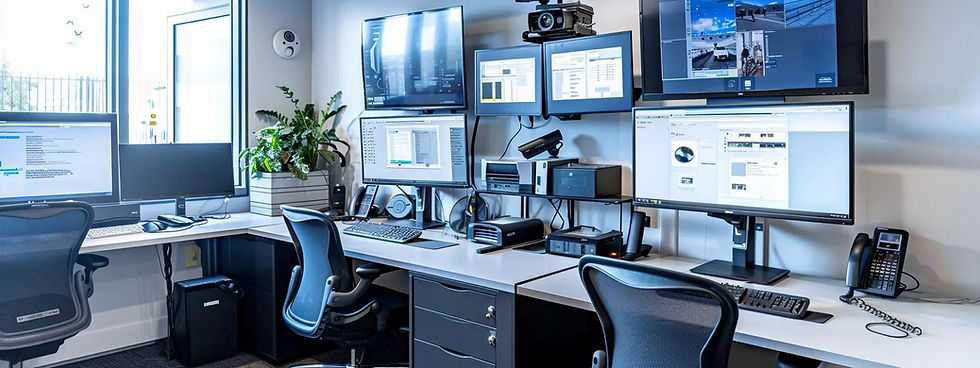
Commercial security systems combine surveillance cameras, alarms and access control into one coordinated solution to protect assets, staff and operations from theft, vandalism and liability. This guide walks Vancouver businesses through how to assess, choose and deploy commercial camera and alarm systems to cut losses, support insurance claims and increase operational resilience. You’ll learn why systems work — both to deter incidents and to provide evidence — which system types and camera features give the best return, how to adapt designs for restaurants, retail and warehouses, and the practical steps for a fast, reliable install. We focus on technology and design choices — AI detection, color night vision, resolution, and wired versus wireless trade-offs — and show where a local installer belongs in the process. Along the way we cover cost drivers, local compliance points and clear next steps so owners and property managers can build a quote-to-install timeline that keeps downtime low and premises protected.
Why Do Vancouver Businesses Need Commercial Security Systems?
Commercial security systems are core safety tools that deter crime, preserve evidence and limit operational loss by combining cameras, alarm monitoring and access control. They create visible deterrents, automate detection and keep reliable records — a mix that cuts opportunistic theft and produces documented evidence for police and insurers. For businesses across Greater Vancouver, that means fewer incidents, faster resolution and possible insurance advantages when systems meet insurer requirements. Knowing these core benefits helps businesses focus spending on cameras, sensors and monitoring that protect revenue and reputation.
Commercial security systems deliver four primary business benefits:
Deterrence and fewer incidents: Visible cameras and alarm hardware discourage opportunistic theft and vandalism.
Evidence for investigations: Recorded video and event logs give timestamps and visual proof for police and insurers.
Insurance and legal support: Reliable footage can back claims and reduce liability disputes.
Workplace safety and oversight: Sensors and access control improve employee safety and operational monitoring.
Those benefits guide the deterrent features and evidence-handling practices a system must include to be effective.
How Do Security Systems Deter Crime and Protect Business Assets?
Visible cameras, clear signage and immediate-response deterrents such as sirens or strobes change the risk for would-be offenders. Cameras with obvious housings and well-lit sightlines make sites less attractive, and active deterrents — remote voice warnings or strobe lights — can stop incidents while they’re happening. Typical results include fewer shoplifting events in retail and fewer after-hours break-ins at warehouses when coverage targets key entry points. Pairing deterrence with rapid alerts provides prevention plus the ability to react quickly, which helps minimize loss and service disruption.
These deterrent choices also affect camera placement and analytics, which we cover next so systems deter effectively while preserving clear evidence.
What Role Do Security Systems Play in Insurance Claims and Legal Protection?
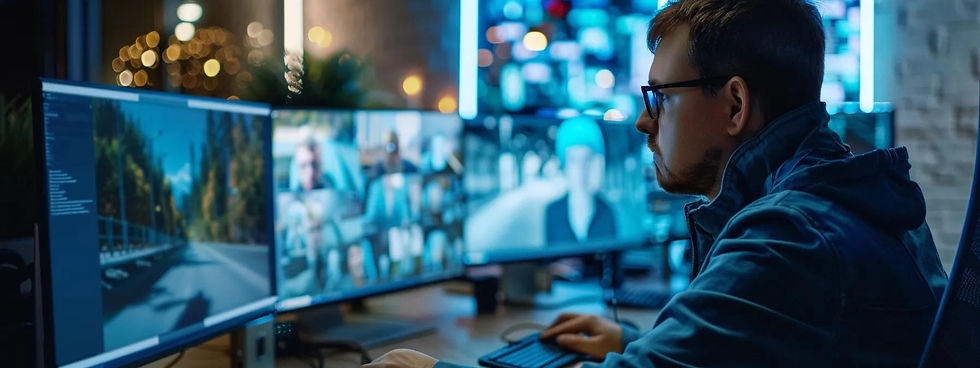
Video recordings, event logs and alarm timestamps create documentary evidence that speeds insurance claims and supports investigations by showing sequence, identities and loss magnitude. Insurers and investigators trust reliable footage when it has a clear chain of custody and documented retention policies — that reduces disputes and shortens claim cycles. Systems with redundant recording, accurate time sync and secure storage improve admissibility and can sometimes earn underwriting benefits or discounts. Businesses should prioritise secure storage, defined retention and documented handover procedures so footage will be accepted by third parties when needed.
Evidence requirements influence system specs — resolution, retention and data integrity — and those specs tie directly to total cost and infrastructure decisions we discuss later.
What Types of Business Security Systems Are Available in Vancouver?
Business security options in Vancouver include commercial camera systems, alarm systems, access control platforms and fully integrated solutions that combine those elements. Each type addresses different risks: cameras focus on detection and evidence, alarms cover perimeter and motion alerts, and access control manages who can enter sensitive areas. The best mix depends on business size, layout and priorities, so a site survey is essential before choosing devices and configurations.
Commercial security camera systems for continuous video, analytics and evidence collection.
Business alarm systems for perimeter and entry detection with immediate alerts.
Access control systems for staff credentials, timed access and secure zones.
The table below compares these system types by typical use, benefits and what drives cost so you can weigh trade-offs.
System Type | Best Use Case | Pros / Benefits |
IP Camera System | Retail, warehouses, facilities that need clear evidence | High resolution, remote access, analytics (AI) and scalability |
Alarm System | Small businesses and after-hours protection | Simple detection, immediate alerts and low incremental cost |
Access Control | Offices, healthcare and strata properties | Granular entry control, audit logs and camera integration |
This comparison shows cameras give evidence-rich benefits while alarms and access control handle immediate detection and controlled entry. Combining systems usually gives the most complete protection.
What Are the Features of Commercial Security Camera Systems?
Commercial camera systems consist of sensors, lenses, network video recorders (NVRs) and PoE infrastructure — the components that determine image quality, reliability and installation complexity. Resolution (2K/4K), field of view, low-light performance and onboard analytics like AI person detection dictate how well cameras identify incidents and cut false positives. Retail benefits from people-counting and shelf monitoring to reduce shrinkage; warehouses need wide-angle coverage and license-plate-capable cameras at gates. The right mix balances broad coverage with identification needs and depends on bandwidth, storage and wiring considerations.
Knowing which features produce the outcomes you need helps prioritise devices and budget during design.
How Do Business Alarm Systems Enhance Security and Monitoring?
Business alarm systems pair entry sensors, motion detectors, glass-break sensors and control panels to spot unauthorised access and send instant alerts to owners or responders. When alarms integrate with cameras, you get video verification that cuts false dispatches and speeds response by showing what triggered the alert. For after-hours protection, an alarm-to-camera workflow lets staff or monitoring services review footage before sending someone out, reducing unnecessary downtime. Alarm systems also support staged arming and tamper detection to keep sensitive areas protected without interrupting daily operations.
Alarm-camera integration shortens response times and lowers operational uncertainty — vital for limiting loss and keeping staff safe.
What Advanced Features Should Vancouver Businesses Look for in Security Cameras?
Advanced capabilities — AI detection, color night vision and 4K resolution — deliver clear business value: better identification, less review time and more usable footage. AI classifies objects and filters events, color night vision preserves important detail after dark, and higher resolutions capture faces and plates more reliably. Those benefits come with higher storage and bandwidth needs, so businesses must weigh identification goals against ongoing costs. Choose feature sets that match your retention policy and network capacity so footage stays accessible when you need it.
The short comparison below links common advanced features to business benefits and trade-offs to help with design decisions.
Feature | Business Benefit | Trade-off / Consideration |
AI Detection | Fewer false alerts and faster footage review | Needs processing power; may require on-camera or server resources |
Color Night Vision | Clearer identification in low light | Modestly higher camera cost and different lighting needs |
4K Resolution | Better evidence for faces and license plates | More storage and bandwidth required |
In short: AI reduces review time, while color night vision and 4K increase evidentiary value at the expense of infrastructure.
How Does AI-Powered Detection Improve Business Security?
AI-powered detection improves accuracy by classifying people, vehicles and zone crossings and by filtering environmental noise, saving staff time and cutting false alarms. In retail, person detection and heatmaps inform staffing and shrinkage strategies; in warehouses, object detection flags unauthorised pallet movement or perimeter breaches. AI also supports prioritized alerts so teams respond first to high-risk events, improving efficiency. AI needs tuning and occasional retraining to minimise false positives, but when configured properly it significantly reduces manual footage review.
Knowing AI capabilities lets businesses design alert workflows that shorten investigations and speed incident handling.
Why Are Color Night Vision and 4K Resolution Important for Business Surveillance?
Color night vision retains colour cues in low-light scenes, helping identify clothing, vehicle colours and context that monochrome footage can miss. 4K resolution extends identification range and keeps detail when you digitally zoom — useful for faces and plate reads that support legal cases. The trade-offs are higher storage and network demand, so plan retention, codecs and NVR sizing in advance. Prioritise high resolution at entrances, cash-handling areas and loading docks; use lower resolution for broad, non-identification coverage.
Balancing resolution and coverage during design gives the best mix of cost and forensic value.
How Can Vancouver Businesses Get Tailored Security Solutions for Their Industry?

Tailored solutions start with a site-specific risk assessment that maps industry threats to camera placement, analytics and alarm zoning. Verticals — restaurants, retail, warehouses, offices, healthcare — have different loss points and privacy rules, so recommended systems mix camera types, access control and alarms to fit each business’s operations and regulatory needs. A custom design ensures cameras cover points of sale, delivery bays and staff-only areas while matching storage, bandwidth and retention to legal and insurance expectations.
Restaurants and retail: prioritise POS-facing cameras, staff-area coverage and AI analytics for shelf and till monitoring.
Warehouses: focus on perimeter cameras, gate capture with plate-read capability and high-mounted wide coverage for inventory oversight.
Offices and healthcare: integrate access control, use internal coverage calibrated for privacy and keep secure audit logs.
These vertical recommendations guide device selection and placement; the next section walks through specific challenges and practical locations.
What Security Challenges Do Restaurants and Retail Stores Face?
Restaurants and retail face shrinkage, employee theft, cash-handling risk and front-of-house incidents. Solutions target these points with transaction-facing cameras, shelf-level monitoring and staff-area coverage that deter internal and external theft and provide clear evidence. Variable storefront lighting and after-hours deliveries call for cameras with strong low-light performance or color night vision. Operational controls such as layered access to stock rooms and timed arming for overnight hours reduce vulnerability without disrupting service.
Designing for these scenarios ensures cameras and alarms protect revenue areas while keeping staff safe and operations smooth.
How Are Warehouses, Offices, and Healthcare Facilities Secured Differently?
Warehouses need wide-area coverage, perimeter detection and inventory-tracking — often using high-mounted 4K cameras plus AI analytics for object movement and zone breaches. Offices prioritise access control and badge-based entry, with internal cameras aimed at asset-heavy zones while balancing employee privacy. Healthcare facilities must meet patient-privacy and regulatory constraints while protecting staff, so designs use restricted recording areas, strict access controls and conservative retention rules. Each vertical has distinct sensor placement, logging standards and staff procedures that drive wiring, storage and retention choices.
These differences shape system specs and inform installation and operational workflows during the design phase.
What Makes Best Canadian Security the Top Choice for Vancouver Business Security?
Best Canadian Security serves Greater Vancouver with commercial camera installs, alarm systems and facility wiring, focusing on fast, practical deployments and site-specific designs. Their core strengths address common business pain points: a promise to "install in days, not weeks," free on-site quotes with expert designs, and unbiased advice free from manufacturer pressure. That combination helps businesses get systems matched to real risks with minimal downtime, clear pricing and options that prioritise operations over product upsells. Choosing a local specialist who gives impartial recommendations simplifies the wired-versus-wireless decision and aligns features with retention and insurance needs.
Speed and scheduling: Faster installs shrink the vulnerable window between assessment and live protection.
Custom designs and free quotes: Site-specific plans prevent coverage gaps and scope creep.
Unbiased expertise and full service: Camera installs, alarms and facility wiring coordinated by one local provider.
How Does the 'Install in Days, Not Weeks' Promise Benefit Your Business?
The "install in days, not weeks" promise reduces exposure after you decide to upgrade, letting you realise security benefits faster — fewer incidents and earlier return on investment. Quick installs cut scheduling friction, limit downtime and help businesses resume normal operations with protection in place. Fast deployment is possible because local teams, preconfigured hardware and efficient survey-to-design handoffs keep the project moving. For businesses with tight windows — restaurants with fixed closing hours or warehouses running shifts — speed means less disruption and earlier peace of mind.
Knowing realistic timelines and pre-install steps helps you plan so installation has minimal operational impact.
Why Are Free On-Site Quotes and Expert Designs Essential for Security Planning?
Free on-site quotes and expert designs remove guesswork by producing a layout that matches camera placement, alarm zones and wiring with your workflows and risk priorities. Accurate site surveys avoid under-coverage, unnecessary devices and surprise costs; design documents spell out device types, mounting points and retention policies for stakeholders and insurers. A professional design and transparent quote let you compare options without hidden scope changes. This step is critical to delivering a system that meets operational needs and compliance or insurance requirements.
A clear survey and design deliverable align expectations before install, reducing delays and cost overruns during deployment.
How Can Vancouver Businesses Start Their Security System Installation Today?
Getting started is a simple, sequential process: request a quote, schedule a site survey, review a tailored design and quote, then book an installation window that limits disruption. Clear expectations about device counts, wiring requirements and retention policies help you budget and choose between wired and wireless approaches.
To begin the installation process, follow these steps:
Request a free on-site quote to document priorities and constraints.
Complete a site survey where technicians map camera locations and wiring paths.
Review a detailed design and cost estimate tailored to your industry needs.
Schedule a fast installation and commissioning window to go live.
These steps turn evaluation into protection with minimal fuss. The table below shows typical timelines for each phase under a fast-install approach.
Phase | Typical Steps | Expected Timeframe |
Quote Request | Initial contact and scheduling | 1–3 business days |
Site Survey & Design | On-site measurements and device selection | 1–4 business days |
Installation | Wiring, mounting and configuration | 1–5 business days |
Commissioning | Testing, staff training and handover | 1 business day |
This timeline supports the "install in days, not weeks" approach by showing compressed, realistic timeframes when planning and inventory align.
What Is the Process for Getting a Free Business Security Quote?
The free-quote process starts with a short intake to capture business type, size and priority areas, followed by an on-site survey where technicians assess sightlines, lighting and wiring routes. After the survey you’ll receive a formal design package with recommended devices, suggested mounting locations, retention options and a clear quote separating one-time installation costs from ongoing storage or monitoring fees. Bringing floor plans, incident history and priority areas to the survey speeds the process and improves device counts. With those preparations, installations are often scheduled within days of quote approval for fast local deployments.
Preparing documentation and priorities before the survey shortens design time and supports quick installation scheduling.
What Factors Affect the Cost of Business Security Systems in Vancouver?
Cost is driven by the number of cameras, desired resolution (2K vs 4K), selected analytics (AI detection), extent of wiring (PoE vs wireless) and integrations with access control or alarms. Other variables include retention length for recorded footage, offsite backup and labour complexity for mounting or conduit work. Wired PoE systems typically add installation labour but lower long-term maintenance and bandwidth concerns compared with fully wireless setups; higher-resolution cameras raise storage costs. Understanding these drivers helps scope a system that meets identification needs without unnecessary spend.
A clear breakdown of cost drivers makes it easier to balance performance with budget and compliance. If you’re ready, request a tailored on-site quote and a fast installation schedule to protect assets with minimal disruption.
Frequently Asked Questions
What are the key considerations when selecting a commercial security system for my business?
Start by assessing your site layout, the specific risks you face and your budget. Evaluate cameras, alarm systems and access control, and prioritise features that meet your needs — resolution, night vision and AI analytics, for example. A security expert can translate your risks into a practical design that aligns with operational workflows and regulatory or insurer requirements.
How can I ensure my security system is compliant with local regulations?
Familiarise yourself with Vancouver-area rules about surveillance and data protection, including privacy considerations for video and employee monitoring. Work with a provider who understands local regulations and can design systems that meet legal requirements. Keep clear documentation of your security practices and train staff on compliance protocols to reduce legal risk.
What maintenance is required for commercial security systems?
Routine maintenance keeps systems reliable: check camera function, clean lenses, update software and test alarms on a schedule. Verify that storage systems are archiving footage per your retention policy and that backups are working. A professional maintenance plan helps spot and fix issues before they affect security.
How do I train my staff to use the security system effectively?
Provide hands-on training covering system operation, emergency procedures and incident reporting. Walk staff through camera and alarm interfaces, run drills and update materials when systems change. Regular refreshers and clear written procedures help ensure everyone knows how to respond to incidents.
What should I do if my security system triggers a false alarm?
First, confirm there’s no real threat. Review the footage to find the cause and document the incident. Contact your security provider to investigate and adjust settings if needed, and notify local authorities as appropriate to avoid fines for repeated false alarms. Regularly review triggers and train staff to reduce false activations.
Can I integrate my security system with other business operations?
Yes — modern systems can link with access control, employee scheduling and inventory tools to streamline operations. For example, integrating access control with staff schedules can limit access to authorised hours. Talk with your provider about integrations that improve efficiency and give a unified view of your site’s security.
Conclusion
A well-designed commercial security system helps Vancouver businesses deter crime, protect assets and maintain operational resilience. By understanding system types, features and industry-specific needs, business owners can make informed choices that fit their operations and budgets. Take the next step — request a free on-site quote today — and get a tailored solution and expert support to improve your security posture and safeguard your business.


Comments